
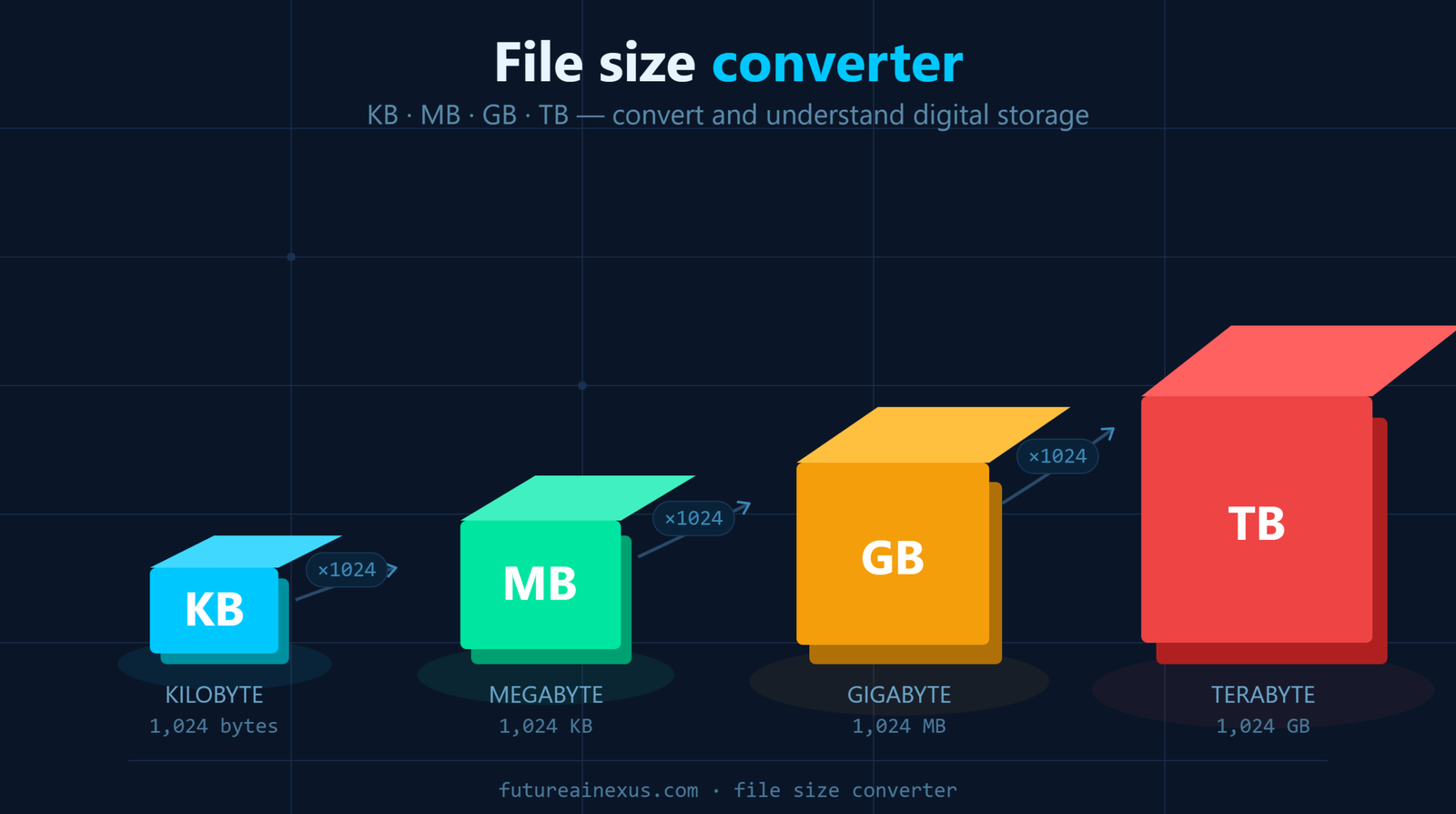
File Size Converter: KB, MB, GB, TB — What They Actually Mean
You have probably seen those letters next to every download, every photo, every app on your phone KB, MB, GB, TB. And at some point, you have probably thought: what do these actually mean, and how do I convert between them?
Whether you are trying to figure out why a 25 MB attachment will not send, wondering how many photos fit on a 128 GB phone, or shopping for your next hard drive and trying to decide between 1 TB and 2 TB, this guide breaks it all down. No jargon. No fluff. Just clear answers, a handy file size converter tool, and enough context to make sense of digital storage for good.
What Are File Sizes, and Why Should You Care?
Every file on your computer, every document, every image, every video is made up of tiny pieces of data called bytes. A single byte holds one character: the letter “A”, the number “7”, a comma. That is the smallest, useful unit of digital storage.
The problem is, modern files contain millions or even billions of bytes. Nobody wants to read “this video is 4,294,967,296 bytes.” So we group bytes into larger, more practical units: kilobytes (KB), megabytes (MB), gigabytes (GB), and terabytes (TB).
Understanding these units is not just tech trivia. It is the difference between buying the right laptop, knowing why your cloud storage is full, and figuring out whether your internet speed is actually delivering what you are paying for.
Data Size
Converter
Convert between KB, MB, GB and TB instantly. Click any result to copy. Mb to kb converter or Mb to gb converter.
File Size Units Explained — From Bytes to Terabytes
Think of file sizes like distance. Metres, kilometres, and so on, each one is a bigger version of the last. Digital storage works the same way, except each step up multiplies by 1,024 instead of 1,000 (more on why in a moment).
Byte (B) — The Building Block
One byte stores a single character. The word “hello” takes up 5 bytes. On its own, a byte is incredibly small — you would need over a thousand of them just to store a short paragraph. But every larger unit is built on top of it.
Also read: Nm to ft-lbs Converter
Kilobyte (KB) — Small Files and Simple Text
One kilobyte equals 1,024 bytes. At this scale, you are dealing with the lightest files on your device: a plain text email, a tiny website icon, or a single page of a Word document with no images. Most files measured in KB are so small you would never notice them taking up space.
Typical KB-sized files: short emails (2–5 KB), small icons (5–15 KB), a plain .txt note (1–10 KB).
Megabyte (MB) — Photos, Songs, and Documents
One megabyte is 1,024 KB, which works out to roughly one million bytes. This is where most everyday files live. That photo you just snapped on your phone? Probably 3 to 7 MB. A three-minute song downloaded from Spotify? Around 3 to 5 MB in standard quality. A 20-page PDF report with a few charts? Maybe 2 to 4 MB.
Typical MB-sized files: smartphone photos (3–7 MB), MP3 songs (3–5 MB), short podcast episodes (15–30 MB), PowerPoint presentations (5–50 MB).
Gigabyte (GB) — Apps, Movies, and Device Storage
One gigabyte is 1,024 MB, approximately one billion bytes. Now you are in the territory of serious storage. When you buy a phone with 128 GB or 256 GB, that number tells you how many apps, photos, and videos you can keep before things get tight. A full-length HD film runs about 4 to 5 GB. A modern video game can easily eat up 50 to 100 GB.
Typical GB-sized items: HD movies (4–5 GB), console and PC games (30–100 GB), a year of smartphone photos (10–20 GB), a season of a TV show (8–15 GB).
Terabyte (TB) — Hard Drives and Serious Storage
One terabyte equals 1,024 GB, roughly one trillion bytes. This is the unit you see on external hard drives, NAS devices, and cloud storage plans. To put it in perspective: 1 TB could hold around 250,000 average MP3 songs, or about 500 hours of HD video, or roughly 300,000 smartphone photos. For most home users, a 1 TB or 2 TB drive will last years before filling up.
Typical TB-scale storage: external backup drives (1–4 TB), desktop SSDs (512 GB – 2 TB), cloud storage plans (1–2 TB), NAS home servers (4–16 TB).
File Size Conversion Chart — Quick Reference
Bookmark this. You will come back to it.
| From | To | Multiply or Divide | Factor |
|---|---|---|---|
| Bytes | KB | Divide | 1,024 |
| KB | MB | Divide | 1,024 |
| MB | GB | Divide | 1,024 |
| GB | TB | Divide | 1,024 |
| TB | GB | Multiply | 1,024 |
| GB | MB | Multiply | 1,024 |
| MB | KB | Multiply | 1,024 |
| KB | Bytes | Multiply | 1,024 |
The pattern is simple: going up (smaller unit to larger), you divide by 1,024. Going down (larger unit to smaller), you multiply by 1,024.
How to Convert Between KB, MB, GB, and TB
Let us walk through the conversions people search for most.
KB to MB — Kilobytes to Megabytes
Divide the number of kilobytes by 1,024.
Example: You have a folder of text documents totalling 15,360 KB. Divide 15,360 by 1,024 and you get 15 MB. If someone sends you a file listed as 800 KB, that is less than 1 MB, it will download in a blink on any connection.
MB to GB — Megabytes to Gigabytes
Divide the megabytes by 1,024.
Example: Your phone’s photo library shows 6,144 MB of storage used. Divide by 1,024 and that is exactly 6 GB. Knowing this helps when your phone warns you that storage is running low — you can quickly estimate which apps or albums are eating the most space.
GB to TB — Gigabytes to Terabytes
Divide the gigabytes by 1,024.
Example: You have used 768 GB on your external hard drive. That is 768 / 1,024 = 0.75 TB, or three-quarters of a terabyte. If your drive is 1 TB, you have about 25% left before it is time for an upgrade or a cleanup.
MB to KB — Going the Other Way
Multiply the megabytes by 1,024.
Example: An email service says attachments must be under 10 MB. You want to know how many KB that is. 10 x 1,024 = 10,240 KB. Any file under that number will send without a problem.
GB to MB — Gigabytes Back to Megabytes
Multiply the gigabytes by 1,024.
Example: You have 2 GB of mobile data left for the month. That is 2 x 1,024 = 2,048 MB. Enough for roughly 400 to 600 social media-quality photos, or about 30 hours of music streaming.
Why 1,024 Instead of 1,000? The Binary vs Decimal Puzzle
If you have ever bought a “500 GB” hard drive and plugged it in only to see your computer report 465 GB, you are not being cheated. You are seeing the clash between two counting systems.
Computers think in binary: ones and zeroes, powers of two. The closest power of two to 1,000 is 2 to the power of 10, which is 1,024. So in computing, 1 KB has always been 1,024 bytes, 1 MB has been 1,024 KB, and so on up the chain.
Storage manufacturers use decimal: plain base-10 maths where 1 KB = 1,000 bytes and 1 GB = 1,000,000,000 bytes. It is not wrong, just a different standard. But when your operating system counts those same bytes using the binary system, the number comes out smaller.
The gap gets more noticeable as drives get bigger:
- A 256 GB drive (decimal) shows as roughly 238 GB on your computer.
- A 1 TB drive shows as about 931 GB.
- A 2 TB drive shows as roughly 1.81 TB.
Neither number is wrong — they are just measured with different rulers. Throughout this guide and in our converter tool, we use the binary standard (1 KB = 1,024 bytes) because that is what your computer uses when it reports file sizes, available RAM, and free disk space.
Side note: the International Electrotechnical Commission introduced terms like “kibibyte” (KiB) and “mebibyte” (MiB) to clear up this confusion, but outside of engineering documents, almost nobody uses them. KB and MB remain the standard in everyday computing.
How Big Are Everyday Files? A Practical Comparison
Numbers are easier to grasp when you can picture them. Here is how common files stack up against each other.
| File Type | Typical Size | How Many Fit in 1 GB? |
|---|---|---|
| Plain text email | 5 KB | ~200,000 |
| Word document (no images) | 50–100 KB | ~10,000–20,000 |
| Smartphone photo (JPEG) | 3–7 MB | ~150–350 |
| MP3 song (4 minutes) | 4–5 MB | ~200–250 |
| Podcast episode (1 hour) | 40–70 MB | ~15–25 |
| Netflix episode (HD, 45 min) | 1–2.5 GB | Less than 1 |
| AAA video game | 50–150 GB | Not even close |
| 4K movie download | 20–40 GB | Not even close |
This table is useful when you are deciding whether to upgrade storage. If your phone constantly fills up with photos and you take roughly 1,000 a year at 5 MB each, that is about 5 GB per year just in photos, before accounting for apps, videos, and system files.
Common Storage Sizes You Will See When Shopping
Knowing the units is half the job. The other half is recognising what you will actually encounter when buying devices or choosing cloud plans.
- USB flash drives: typically 16 GB, 32 GB, 64 GB, or 128 GB. A 64 GB stick holds roughly 15,000 photos or 12,000 songs.
- Smartphone storage: ranges from 64 GB on budget models up to 512 GB or 1 TB on flagships. Most people sit comfortably at 128 GB to 256 GB.
- Laptop and desktop SSDs: commonly 256 GB, 512 GB, 1 TB, or 2 TB. If you work with video or large design files, aim for at least 1 TB.
- External hard drives: usually 1 TB, 2 TB, 4 TB, or 5 TB. Perfect for backups and archiving old files.
- Cloud storage (Google Drive, iCloud, OneDrive): free tiers are typically 5–15 GB. Paid plans start at 100 GB or 200 GB and go up to 2 TB or more.
- Computer RAM: measured in GB as well — commonly 8 GB, 16 GB, or 32 GB. RAM is temporary working memory, not long-term storage, but it uses the same units.
Why File Sizes Matter for Internet Speed and Downloads
There is one more unit that trips people up: megabits per second (Mbps), the way internet speeds are measured. A megabit is not a megabyte. There are 8 bits in 1 byte, so 1 megabyte = 8 megabits.
That means if your broadband speed is 100 Mbps, you are not downloading 100 MB every second. You are downloading about 12.5 MB per second (100 divided by 8). A 1 GB file would take roughly 80 seconds on that connection, not 10.
This is one of the most common misunderstandings in tech, and knowing the difference saves you from thinking your internet provider is ripping you off.
Quick download time estimates:
| File Size | At 50 Mbps | At 100 Mbps | At 300 Mbps |
|---|---|---|---|
| 10 MB (a few photos) | ~1.6 seconds | ~0.8 seconds | ~0.3 seconds |
| 500 MB (a long podcast) | ~80 seconds | ~40 seconds | ~13 seconds |
| 5 GB (an HD movie) | ~13 minutes | ~7 minutes | ~2.2 minutes |
| 50 GB (a large game) | ~2.2 hours | ~1.1 hours | ~22 minutes |
Tips for Managing Your Storage More Effectively
Now that you understand the units, here are a few practical ways to make the most of whatever storage you have:
- Check what is eating your space. On both Windows and Mac, you can see a breakdown of storage by category (apps, photos, system files). Start there before buying a bigger drive.
- Offload old photos and videos. Cloud backup services let you store thousands of photos without filling your local drive. Even the free tiers give you enough room for a decent archive.
- Clear temporary and cached files regularly. Browsers, apps, and your operating system all generate temporary files that quietly pile up into several GB over time.
- Compress before you send. Zipping a folder before emailing it can cut the file size by 20 to 60 percent, depending on the file types inside.
- Keep at least 10 to 15 percent of your drive free. A nearly full hard drive or SSD slows down your system because the operating system needs breathing room for virtual memory, updates, and temporary files.
Frequently Asked Questions
Is KB bigger than MB?
No. A kilobyte is smaller than a megabyte. It takes 1,024 KB to make a single MB. If file sizes were distances, a kilobyte would be a step and a megabyte would be a city block.
How many KB in a MB?
There are 1,024 KB in one megabyte using binary measurement, which is the standard your computer uses. In decimal terms, some sources round it to 1,000 KB, but 1,024 is the technically accurate figure.
How many MB in a GB?
There are 1,024 MB in one gigabyte. So if your phone shows 3 GB of free space, that translates to about 3,072 MB — enough for roughly 600 to 1,000 photos, depending on resolution.
How many GB in a TB?
There are 1,024 GB in one terabyte. A 2 TB external drive gives you 2,048 GB of storage — more than enough for most people’s lifetime collection of documents, photos, music, and a solid library of films.
Which is bigger, MB or GB?
A gigabyte is far bigger. One GB contains 1,024 MB. If a megabyte is a single book, a gigabyte is an entire shelf. And a terabyte? That is the whole library.
Why does my 1 TB hard drive only show 931 GB?
Because the drive manufacturer measured 1 TB as 1,000,000,000,000 bytes (decimal), but your operating system divides those bytes by 1,024 at each step (binary). The result is approximately 931 GB. You have not lost any space — it is just two different ways of counting the same bytes.
What is the difference between megabits and megabytes?
A megabit (Mb, lowercase “b”) is one-eighth of a megabyte (MB, uppercase “B”). Internet speeds are measured in megabits per second (Mbps), while file sizes are measured in megabytes (MB). Divide your internet speed by 8 to estimate your actual download rate in MB per second.
How many photos can I store in 1 GB?
It depends on photo quality. A typical smartphone JPEG runs 3 to 7 MB, so 1 GB holds roughly 150 to 350 photos. RAW photos from a DSLR camera are 20 to 50 MB each, so 1 GB would only hold about 20 to 50 of those.
Is 256 GB enough storage for a laptop?
For light use — web browsing, documents, email, streaming — 256 GB is workable, especially if you use cloud storage for photos and large files. But if you install large applications, edit video, or keep a big media library locally, 512 GB or 1 TB will be much more comfortable.
How much storage do I need for gaming?
Modern AAA games commonly require 50 to 150 GB each. If you want five or six major titles installed at once alongside your operating system and other apps, 1 TB is the realistic minimum for a gaming setup. Serious gamers often go for 2 TB.
The Bottom Line
File sizes do not have to be confusing. Once you know that each step from KB to MB to GB to TB multiplies by 1,024, the rest falls into place. Use the converter tool above whenever you need a quick answer and refer back to the charts in this guide when you are shopping for storage or trying to work out why that email attachment keeps bouncing.
And if you are the kind of person who wants to stay ahead of the curve on tech, from AI and crypto to app reviews and digital tools Future AI Nexus covers it all. We break down the tech that matters so you can make smarter decisions without needing a computer science degree.