I Tested Multitasking on Google, Samsung, and Motorola Foldables, and There Was a Clear Winner
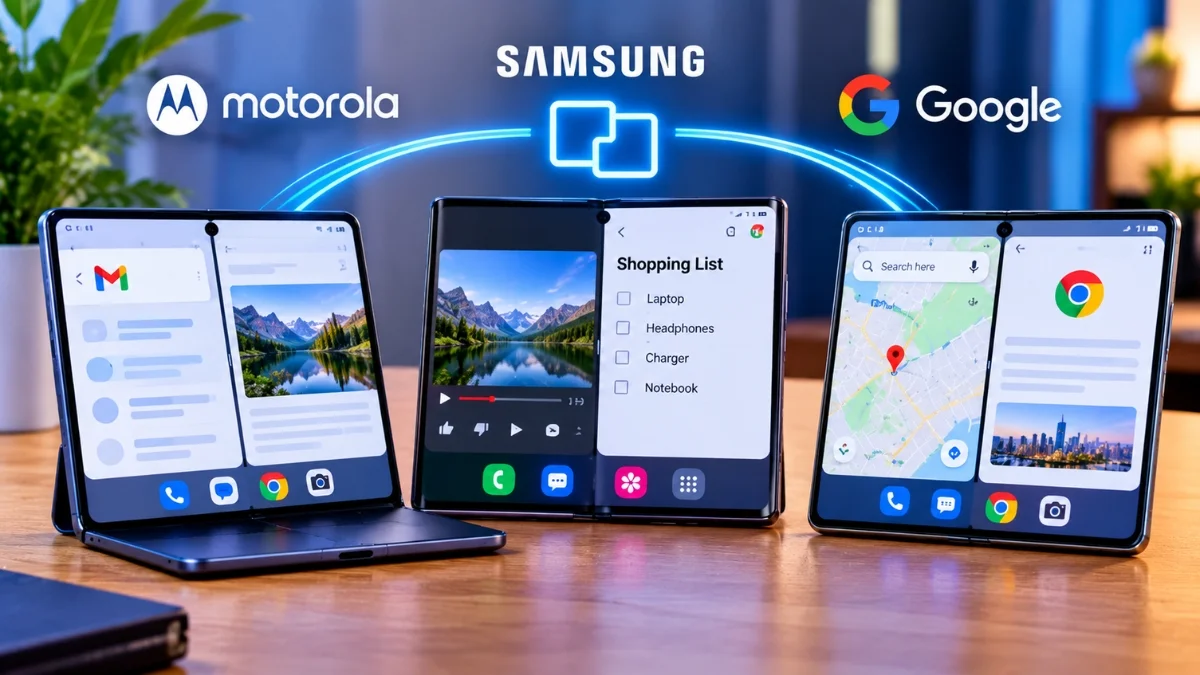
Motorola. Not because the Razr Fold has more multitasking features than Samsung, since it doesn’t, but because its software offers split screen before you think to ask for it. Samsung has the deepest toolbox of the three and buries most of it behind menus you have to know exist. Google has the most consistent implementation and the least ambition. The winner is decided by how many steps sit between you and two apps on screen, and Motorola has the fewest.
Key takeaways
- Motorola’s Razr Fold suggests split screen contextually. Tap a link in Gmail or Messages and it opens 50:50 alongside the app you were in, without you asking.
- Samsung’s One UI has the widest feature set: App Pairs, pop-up view, Flex Mode multi-window, the taskbar, DeX, and a two-finger swipe shortcut that most owners never find.
- Google’s Pixel implementation is clean and predictable, and desktop windowing landed on tablets before foldables.
- All three now support Android’s 90:10 view, which keeps a second app parked at the edge.
- The Razr Fold and Galaxy Z Fold 8 both cost $1,899.
What I actually measured
Feature lists are how these comparisons usually get written and they are close to useless, because a feature you never discover has the same practical value as a feature that does not exist.
So the metric here is the number of deliberate steps between a single app on screen and two apps on screen, doing something useful together. Steps you have to know about in advance count double, because they only help people who have read a guide.
Three scenarios, chosen because they are what people actually do:
- Reading an email and opening a link without losing the email.
- Getting two specific apps side by side from a cold start.
- Returning to a pair of apps you use together every day.
The three phones
| Motorola Razr Fold | Samsung Galaxy Z Fold 8 | Google Pixel 10 Pro Fold | |
| Main display | 8.1-inch 2K LTPO AMOLED | Folding OLED | Folding OLED |
| Cover display | 6.6-inch | — | — |
| Chip | Snapdragon 8 Gen 5 | Flagship Snapdragon | Google Tensor |
| RAM / storage | 16GB / 512GB | — | — |
| Battery | 6,000mAh silicon-carbon | — | — |
| Charging | 80W wired | — | — |
| Weight | 243g | — | — |
| Software | Android 16 with Hello UI | One UI 8 | Android, near-stock |
| Price | $1,899 | $1,899 | — |
Motorola’s hardware is the most quotable of the three, particularly the 6,000mAh silicon-carbon cell with 80W charging, which is a genuine advantage on a device you are running two apps on all day. The trade-off is 243 grams and a camera bump big enough to make it top-heavy in the hand. The Snapdragon 8 Gen 5 also sits below the Elite part in the Galaxy, and it shows under sustained load.
Motorola: the OS asks first
The Razr Fold’s advantage is not a feature. It is a posture.
Switch between two apps in quick succession and a split-screen suggestion appears. You did not go looking for it; the system noticed the pattern and offered.
Tap a link inside Gmail or Messages and it opens in a 50:50 split alongside the message. This is the single best interaction on any of the three phones, because reading an email and reading its link is the most common two-app task in existence, and Motorola made it zero steps.
The taskbar is compact and stays out of the way of the app you are in, which sounds trivial until you use a taskbar that does not. And split-screen buttons sit directly in the app switcher, so the option is visible at the exact moment you are already thinking about a second app.
The 90:10 split with adjustable ratios is there too, matching what Android 16 provides generally.
None of these are inventions. What Motorola has done is put the multitasking affordances where you are already looking, rather than where a settings menu says they should be.
Also read: iPhone 18 Pro vs Foldable iPhone Ultra: Which Apple Phone Should You Wait For?
Samsung: deepest toolbox, highest entry price
Samsung has been building this longer than anyone and it shows in the depth of what is available.
App Pairs are the best multitasking feature on any foldable, full stop. Save a two or three app layout to your home screen and one tap restores the whole arrangement. If you open the same combination every morning, this beats everything Motorola or Google offers.
Pop-up view floats an app over another, useful for a calculator or a message thread you want to keep visible.
Flex Mode multi-window uses the half-folded position to put controls on the bottom half and content on the top, turning the phone into a small laptop shape.
The two-finger swipe starts split screen from anywhere. Settings > Advanced features > Multi window > Swipe for split screen. Then swipe up with two fingers from the bottom of the screen.
The taskbar persists on the unfolded display for fast switching.
And DeX turns the phone into a desktop environment on an external display, which nothing else here matches.
Now read that list again and notice what it has in common. Almost every item requires you to know it exists. App Pairs need setting up before they save you anything. The two-finger swipe is off by default and lives four levels into a settings menu. Flex Mode support varies by app.
Samsung built a power user’s foldable and then hid the power features from anyone who is not already a power user. If you have watched a setup video and spent an afternoon configuring it, the Fold 8 is the most capable device here by a distance. If you took it out of the box and started using it, you are getting split screen through the app switcher and not much else.
Google: predictable, and a step behind
Pixel multitasking is the cleanest of the three and the least interesting.
Split screen works from the app switcher, exactly as Android has done it for years. Drag and drop between split apps is reliable. The taskbar is present on the inner display. The 90:10 view is supported. Nothing is broken and nothing is buried.
The frustration is what has not arrived. Android’s desktop windowing, the genuinely new multitasking paradigm with resizable floating windows, went to tablets first. Foldables have waited, despite having the screen real estate and being the devices whose owners most obviously want it.
That ordering is strange given that Google makes both the OS and a foldable. An 8-inch inner display is the ideal size for windowed multitasking. It got the tablet treatment second.
What Google does have is consistency. Apps behave the same folded and unfolded, the fold and unfold transition is the most reliable of the three, and there are no per-app quirks to learn.
The scoreboard
Steps between one app and two useful apps, based on each system’s documented flow.
| Task | Motorola | Samsung | |
| Email plus its link, side by side | 1 (tap the link) | 4-5 (recents, split, find app, place) | 4-5 |
| Two chosen apps from cold start | 2-3 (app switcher split button) | 3-4, or 1 with a saved App Pair | 3-4 |
| A daily pair, repeated | 2-3 | 1 with App Pair | 3-4 |
| Discovering the feature exists | System offers it | You must go looking | Visible in app switcher |
That table contains the whole result.
Motorola wins the first and last rows, which are the ones that matter for most people, because most people never configure anything.
Samsung wins the third row outright, and it is not close. One tap to restore a three-app layout is better than anything else here. But you had to know App Pairs existed and spend two minutes setting one up.
So the answer depends on a question about you rather than about the phones. Will you configure your device? If yes, Samsung, comfortably. If no, Motorola, comfortably.
Most people say yes and behave like no.
What all three still get wrong
App support is the ceiling. Every one of these systems is limited by developers. Apps that refuse to resize, apps that reload state when the screen unfolds, apps that lock to portrait. Samsung offers a force-resizable option for badly behaved apps, which helps and sometimes breaks layouts. None of it is fixable from the OS side alone.
Nobody has solved the cover screen. All three treat the outer display as a small phone and the inner display as a small tablet, as if they were separate devices sharing a battery. Handing a task from one to the other still means the app restarts or forgets where you were, more often than it should.
Multitasking is still manual. Even Motorola’s suggestions are pattern matching on the last two apps you opened. None of these phones learn that you always open the calendar with email, or offer the pair before you ask, on a device with far more processing power than that requires.
Flex Mode is underused. The half-folded position is the most genuinely novel thing about a foldable and it is supported by a handful of apps, mostly video and camera. It should be everywhere and it is not.
The verdict
Motorola’s Razr Fold wins because it made multitasking something the phone offers rather than something you have to remember to invoke. Tap a link in Gmail and get a split view without a single deliberate step, and you will use split view fifty times a week instead of five.
Samsung builds the better tool and asks you to learn it. If you are the kind of person who reads a guide before setting up a phone, App Pairs alone justify the choice, and DeX has no equivalent anywhere else.
Google’s Pixel is the safe option: consistent, predictable, and waiting for the desktop windowing that should have arrived on a foldable first.