Don’t Give Sites and Stores Your Credit Card Number… Do This Instead
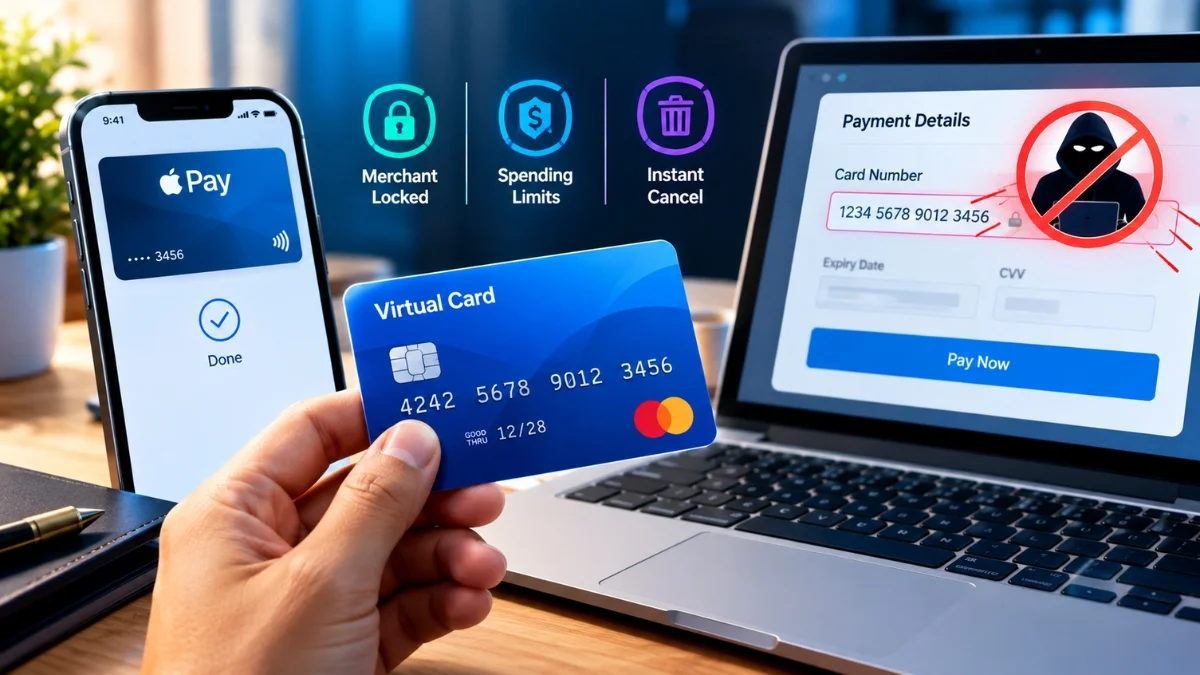
Use a virtual card number. It is a real, working card number that routes to your actual account, and you can lock it to one merchant, cap what it can spend, and kill it without affecting your real card. The free version most people already have and never use is Apple Pay or Google Pay, which hands the merchant a device-specific number instead of yours. Beyond that, several major banks issue virtual numbers at no cost, and third-party services fill the gaps.
Key takeaways
- Apple Pay and Google Pay already replace your card number with a device-specific one. It costs nothing, requires no setup beyond adding the card, and the merchant never sees your real digits.
- Capital One issues virtual cards through Eno, which also reminds you about free trials. Citi offers Virtual Account Numbers through its app and website. American Express provides virtual numbers via its Chrome integration.
- Merchant-locked cards with spending limits are the underrated feature. They let you cancel a subscription without asking the company’s permission.
- Virtual cards fix merchant breaches and unwanted recurring charges. They do very little against account takeover or phishing.
- The main catch: many third-party virtual cards are prepaid debit under the hood, which gives you weaker dispute rights than a real credit card.
What actually happens after you type your number
Worth understanding, because it decides which tool helps.
You enter sixteen digits on a checkout page. Those digits go to the merchant’s server, then usually to a payment gateway, then to a processor, then through the card network to your issuing bank. Each hop is a system that can be breached.
Most reputable merchants no longer store the raw number themselves. They store a token issued by their processor, and the processor holds the real number in a vault. That is a genuine improvement over the state of things a decade ago.
But two things follow from it. Someone still holds your real number, just not the shop. And the token the merchant holds is enough to charge you again, which is exactly what it is designed for.
So when a retailer gets breached, the outcome depends entirely on parts of their architecture you cannot see and they will not tell you about. You find out afterwards, in an email.
Your card number is also not a secret in any meaningful sense. It is a static string you hand to dozens of strangers a year and cannot change without a two-week wait and a fortnight of updating direct debits. Treating it as a credential was always a bad design; it just took the internet to make that obvious.
The four risks, and which ones this fixes
Being precise here saves buying a tool for a problem it does not solve.
1. Merchant or processor breach. Your number leaks in a database dump. A virtual card locked to that merchant is worthless to anyone else. Virtual cards fix this properly.
2. Checkout page skimming. Malicious script on a compromised store captures the number as you type. Same outcome: a merchant-locked card is useless elsewhere. Fixed.
3. Subscriptions you cannot cancel. The free trial that renews, the gym with the fax-only cancellation policy, the service whose cancel button loops forever. A card with a spend limit or a card you can close ends this unilaterally. Fixed, and this is the one people actually love.
4. Account takeover and phishing. Someone gets into your shopping account and orders things with the card already saved, or you get tricked into entering details on a fake site. Not fixed. A virtual card at a merchant you genuinely use will happily pay for whatever is ordered through your compromised account. This needs a password manager, unique passwords and two-factor authentication.
Two out of four. That is a good return for something mostly free, as long as you know which two.
The free option almost everyone already has
Before paying for anything, use the thing already in your phone.
When you add a card to Apple Pay or Google Pay, the wallet does not store your card number. It requests a device-specific number from the network, tied to that device, and every transaction includes a one-time cryptogram. The merchant receives the device number, never yours.
This is tokenisation, it is the same underlying idea as a virtual card, and it costs nothing.
Where it works, use it. In person, obviously. Online, any checkout offering Apple Pay or Google Pay as a button. In apps, the same. A surprising number of people tap to pay in shops and then type their full card number into a website an hour later, which is the equivalent of locking the front door and leaving a window open.
The limits are real, though. You cannot lock the token to a spend limit, you cannot use it where the button is not offered, and you cannot easily kill one merchant’s access without removing the card from the wallet entirely. For those, you need proper virtual numbers.
Also read: I Replaced Word, Excel, PowerPoint, and Outlook With Free Apps, and I Don’t Miss Microsoft 365
Virtual numbers from your existing bank
Check here first, because it is usually free and comes with real credit card protections.
Capital One (Eno). Generates virtual cards from the mobile app or online account, and Eno adds free trial reminders, which is a sensible pairing given what people use these for.
Citi (Virtual Account Numbers). Available through the app and website. One of the longest-running programmes of its kind.
American Express. Virtual numbers through its Chrome integration and online account.
The big advantage over third-party services: these are your actual credit card. Full chargeback rights, full fraud protection, and your usual rewards. Nothing sits between you and your issuer.
The disadvantage is that the tooling is generally cruder. Merchant locking and per-card spend limits are less flexible than the dedicated services, and the interfaces tend to be afterthoughts.
Bank virtual card programmes also come and go. If yours does not offer one, it may have had one previously and shut it down.
Third-party services
For finer control, or if your bank offers nothing.
| Service | Region | Cost | Notes |
| Privacy.com | US | Free tier plus paid plans | Merchant-locked cards, spend limits, funded from a bank account |
| Revolut | US, EU, Australia, Japan | First card included, ~$5 for additional, unlimited on paid plans | One-time disposable cards and spending limits |
| IronVest | US | Free plan with 2 masked cards; $6/mo Plus, $15/mo Ultimate; $2 per card created | Prepaid debit under the hood |
| Klutch Cards | US | No setup fee, subject to approval | Actual credit cards, up to 6% cash back, no foreign transaction fees |
| MySudo | US | Paid plans only; 2.99% + $0.31 per transaction | Mobile only, no desktop |
| Moon | US | Free | Crypto funded, prepaid, no transaction fees |
| PayPal | International | Free | Widely accepted, limited card creation |
Two things to notice.
Most of these are US-only. Outside the US, Revolut is the realistic option, with your own bank’s offering as the alternative.
And read the “prepaid debit” note carefully, because it is the most important line in the table.
The subscription trick
This is what converts people, and it is worth spelling out.
Create a virtual card locked to one merchant with a spending limit set to exactly the subscription price. Use it to sign up.
Now you control the relationship. Want to cancel? Close the card or set the limit to zero. The next charge fails. You are not negotiating with a retention agent, waiting on hold, or hunting for a cancel link that has been moved.
For free trials specifically, set the limit low enough that the first real charge is declined. You get the trial, and the conversion to a paid plan cannot happen without your involvement.
Two caveats worth being honest about. Cancelling a payment is not the same as cancelling a contract, and for anything with a genuine minimum term you may still owe money and could end up in collections. Use this for the ordinary subscription mess, not to walk away from something you signed. And some merchants treat a failed payment as a reason to suspend an account you actually wanted to keep, so do not use a low limit on something important.
Where virtual cards break
The problems nobody puts in the listicles.
Weaker dispute rights on prepaid debit. Several third-party services are prepaid debit products, not credit cards. Credit cards carry stronger statutory and network protections for disputed transactions in most jurisdictions. If something goes wrong on a large purchase, you would rather it was on a real credit card.
Card-present verification. Hotels, car hire and some airlines want to see the physical card that made the booking at check-in. A virtual number cannot be produced at a desk. Book those with a real card.
Refunds to a closed card. Close the card, then return the item, and the refund goes to a number that no longer exists. Most services credit it back to your balance, but it is slower and occasionally requires support. Set the limit to zero rather than closing, until the return window has passed.
Merchant descriptor changes. A merchant-locked card matches on the merchant identifier. When companies rebrand, switch processors, or route payments through a different entity, the lock can stop matching and your recurring charge declines. Then you find out because a service you rely on has been suspended.
Not accepted everywhere. Some merchants reject prepaid BINs outright, particularly for subscriptions and rentals.
What I actually do
A three-tier setup that takes ten minutes to establish and then runs itself.
Everyday shopping at large retailers: Apple Pay or Google Pay wherever the button exists. Free, no setup, no maintenance.
Any site I do not fully trust, plus every subscription: a merchant-locked virtual card with a spend limit set just above the expected charge. One card per merchant. Naming them properly matters more than it sounds, because a year later you will not remember what “Virtual Card 14” pays for.
Travel, big purchases and anything needing the physical card: the real credit card. Full protections, and no risk of a lock failing at a hotel desk at midnight.
The card number itself never gets typed into a website unless there is a specific reason it has to be.