200+ Million LG TVs Reportedly Keep Collecting Data When Turned Off, Even Without an Internet Connection
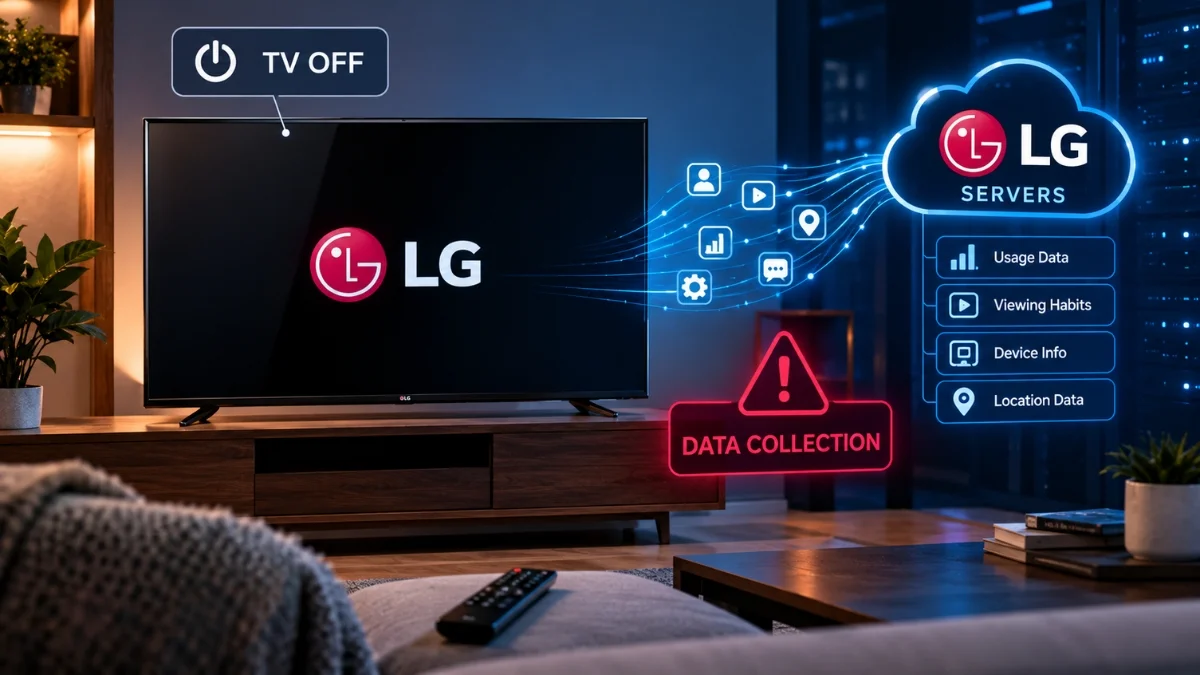
Gamers Nexus captured LG TV network traffic with Wireshark and found plaintext audio transcripts, Wi-Fi network enumeration, location data, and a list of every device on the local network. The headline claim needs precision: the TV does not transmit while offline. It stores the data locally and sends it once reconnected. That distinction is the entire basis of the only fix that actually works, which is never letting the TV reach your network at all.
Key takeaways
- The investigation came from Gamers Nexus, led by Stephen Burke, published as a roughly 135-minute video on September 8, 2026, based on Wireshark packet capture and inspection of data stored on the TVs.
- Findings include plaintext transcripts from captured audio, recording continuing after voice recognition was activated, and collection observed during standby.
- The TVs also logged IP addresses, location, nearby Wi-Fi network names, signal strengths and channel numbers, and discovered local devices including phones, watches, routers, thermostats, air purifiers and PCs.
- Researchers also allege a remote code execution vulnerability, currently under responsible disclosure.
- LG says its TVs do not “collect, record, or store ambient conversations” and that voice recognition is optional and processes data only when activated.
- LG Ads Solutions reports 49 million webOS TVs in the US and 363 million addressable secondary devices. ACR has been deployed across 27 countries since 2022.
What was actually found
The headline says the TVs collect data without an internet connection, and that is technically accurate but easy to misread in a way that matters.
A television with no network connection cannot send anything anywhere. There is no mechanism. No cellular radio, no mesh backchannel.
What the researchers found is that the TV continues collecting while offline and writes the data to local storage. When the connection returns, the backlog is transmitted.
So the accurate framing is deferred exfiltration rather than magical transmission. That is still a serious finding, because it defeats the intuitive defence: pull the TV off Wi-Fi for a week, reconnect it once to install an update, and everything from that week goes out in the first minutes.
It also points directly at the only reliable fix, which is at the end of this article. A TV that is never connected has no delivery mechanism, and stored data on a device you physically control is a very different problem from data sitting on an ad network’s servers.
Read LG’s denial carefully
LG’s response is worth quoting precisely, because the wording is doing careful work.
LG says its TVs do not “collect, record, or store ambient conversations,” and that voice recognition is optional, processing data only when the user activates it.
That is a specific denial of one specific allegation: always-on ambient conversation recording. It is a meaningful denial and it may well be true.
Now notice what it does not address.
It does not deny logging nearby Wi-Fi networks with signal strengths and channel numbers. It does not deny enumerating devices on the local network. It does not deny collecting location data or IP addresses. It does not deny that recording continued after voice activation, which is a different claim from ambient recording. And it does not deny the standby behaviour except insofar as that falls under ambient conversations.
This is a normal feature of corporate statements. Legal teams draft a denial of the most legally dangerous claim, phrased so it is defensible, and stay silent on everything else. It is not evidence of guilt. It is a reason to read what was denied rather than assuming the whole report was rejected.
Worth noting alongside it: in July 2026, LG monitors were found installing adware through a Windows process. That is a separate product line and a separate incident, and it is relevant to how much benefit of the doubt the company gets.
The number nobody can pin down
Headlines cite over 200 million TVs. One report references 216,000,000 in the US alone. LG Ads Solutions reports 49 million webOS TVs in the US, plus 363 million addressable secondary devices.
Those figures do not reconcile, and it is worth understanding why rather than picking whichever is most alarming.
The 49 million figure is televisions. The 363 million is “addressable secondary devices,” which in advertising terminology means the phones, tablets and computers that can be linked to the same household for cross-device ad targeting. The 216 million number sits between the two and probably reflects a different counting method again.
The useful takeaway is not the headline count. It is that LG’s advertising business publicly describes an ability to link your television to hundreds of millions of other devices for targeting purposes. That capability is the product, and it is described in LG’s own materials rather than alleged by researchers.
Also read: Don’t Give Sites and Stores Your Credit Card Number… Do This Instead
The part that should worry you more than the ads
Buried in the coverage is the finding with the shortest path to actual harm: researchers allege a remote code execution vulnerability, currently going through responsible disclosure with security experts.
Remote code execution means an attacker can run their own code on the device. On a television with a microphone, a camera in some models, a permanent network presence, and visibility of every other device on your LAN, that is a serious position for an attacker to hold.
It is also a device most people never patch deliberately, never think about as a computer, and keep for eight to ten years. The patch cycle for a TV is nothing like a phone’s, and support ends long before the hardware does.
Ad tracking is an annoyance and a privacy violation. A remotely exploitable computer sitting inside your network perimeter with a microphone attached is a security problem, and it is the one that would matter most if exploited.
Details are withheld pending disclosure, which is correct practice. Watch for the eventual publication and check whether your model receives a firmware update.
Why your TV does this
None of this is an accident, and understanding the economics makes the settings menus make sense.
Televisions are sold at very thin margins. The revenue comes afterwards, from Automatic Content Recognition: the TV samples what is on screen, matches it against a fingerprint database, and builds a record of what you watch across every input. Not just the built-in apps. The games console, the cable box, the laptop plugged into HDMI 3.
That profile is sold to advertisers, who use it to target ads and measure whether the ones they already ran worked. LG has deployed ACR across 27 countries since 2022. LG is not unusual here; Samsung, Roku, Vizio and the rest run comparable programmes.
Which explains three things you have probably noticed. The privacy settings are on by default. They are spread across several menus with names like Live Plus and Viewing Information rather than one clear panel. And the setup process presents them as agreements you accept to finish setting up your television.
That is a design intended to produce consent without attention.
How to turn it off, by brand
Worth doing even though it is incomplete, because it stops the ACR profiling that is the main commercial purpose.
LG
- ACR: Settings > General > Live Plus > off
- Ad tracking: Settings > General > Advertisements > “Do Not Sell My Personal Information” or “Limit Ad Tracking”
- Everything else: Settings > User Agreements > disable Viewing Information, Interest-Based Advertising, Voice Information, and Live Plus Automatic Content Recognition
Samsung
- ACR: Settings > Support > Terms & Privacy > Privacy Choices > Viewing Information Services
- Ads: same path > Interest-Based Advertising
- Voice: same path > Voice Recognition Services
Roku and Roku TVs
- ACR: Settings > Privacy > Smart TV Experience > disable “Use Info from TV Inputs”
- Ads: Settings > Privacy > Advertising
- Microphone: Settings > Privacy > Microphone
Amazon Fire TV
- Settings > Preferences > Privacy Settings > Device Usage Data > off
- Same path > Collect App and Over-the-Air Usage > off
- Same path > Interest-Based Ads > off
Sony, TCL, Hisense and other Google TV or Android TV sets
- Ads: Settings > Privacy > Ads > Ad Personalization > off
- Sony ACR: Settings > Privacy > Samba Interactive TV > off
Vizio
- ACR: Settings > Admin & Privacy > Viewing Data > off
- Ads: Settings > Admin & Privacy > Advertising
Two warnings. A factory reset restores every one of these to on, so redo them after any reset. And a major firmware update can reintroduce a new agreement screen, which is a fresh opportunity to consent to something without reading it.
The only fix that actually works
If the findings are accurate, toggling settings is mitigation rather than a solution. Data was being collected during standby and stored offline for later transmission, which is behaviour that sits below the level the settings menu controls.
The reliable approach is to never let the television reach the internet.
- Do not connect it to Wi-Fi during setup. Skip the network step. Some sets make this deliberately awkward; it is always possible.
- If it is already connected, remove the saved network and unplug the Ethernet cable. On sets that keep reconnecting, change the Wi-Fi password and do not give it the new one.
- Do all your streaming from an external device. An Apple TV, a Fire Stick, a Chromecast or a games console. You are choosing which company gets your data instead of getting none of it, but you are choosing a device that gets security updates for years and has a single, inspectable privacy policy.
- Use the TV as a display only. HDMI in, picture out. Which is what most people wanted from it anyway.
You lose the built-in apps, which are usually slower and worse than any external box. You lose firmware updates, which is a genuine trade-off given the alleged remote code execution vulnerability, though a device with no network path is not remotely exploitable in the first place.
Everything else works exactly as before.